

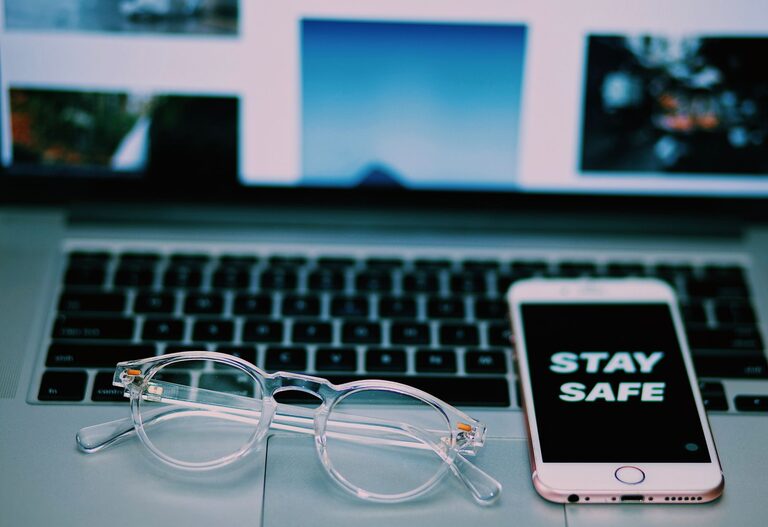
Keeping your phone and keyboard clean is essential not only for hygiene but also to maintain the devices’ performance. These frequently touched gadgets can accumulate dirt, oils, and germs over time, which may affect how they work or even carry bacteria. However, cleaning them improperly might cause damage. This guide will walk you through safe and effective methods to clean your phone and keyboard.
Why Regular Cleaning Matters
Phones and keyboards are among the most used items in daily life. Regular cleaning helps:
– Reduce germs and bacteria buildup.
– Remove dust and debris that can affect device performance.
– Improve the appearance of your devices.
– Enhance the longevity of your tech.
What You’ll Need for Cleaning
Before starting, gather the following items to ensure a safe cleaning process:
– Microfiber cloths (soft and lint-free)
– Cotton swabs (for hard-to-reach areas)
– Isopropyl alcohol (70% or less)
– Mild dish soap
– Compressed air canister (optional)
– Distilled water
– Small bowl or container
– Soft brush (optional)
Avoid harsh chemicals, abrasive tools, and excessive liquid, which can damage your devices.
—
How to Safely Clean Your Phone
Phones have sensitive screens and components that need extra care.
Step 1: Power Off and Unplug
Always turn off your phone and disconnect it from chargers or accessories before cleaning to avoid damage or short circuits.
Step 2: Remove the Case
Take off your phone case to clean it separately and access the phone body fully.
Step 3: Prepare Cleaning Solution
Mix a small amount of mild dish soap with distilled water to create a gentle cleaning solution. Alternatively, you can use a 70% isopropyl alcohol wipe or solution applied to a cloth (never directly on the phone).
Step 4: Clean the Phone Exterior
– Lightly dampen a microfiber cloth with the cleaning solution.
– Gently wipe the screen, back, and sides of the phone.
– Use cotton swabs dampened with solution to clean small crevices like around buttons or ports.
– Avoid getting moisture into openings such as speakers, microphones, or charging ports.
Step 5: Dry the Phone
Use a dry microfiber cloth to remove any remaining moisture and polish the surface.
Step 6: Clean the Phone Case
Wash the phone case with warm, soapy water, rinse it well, and let it dry completely before putting it back on.
—
How to Safely Clean Your Keyboard
Keyboards collect dust, food particles, and skin oils, which can lead to sticky keys or buildup under the keys.
Step 1: Turn Off and Unplug
Turn off your computer or laptop and unplug the keyboard to avoid electrical issues.
Step 2: Remove Loose Debris
– Turn the keyboard upside down and gently shake it to dislodge crumbs and dust.
– Use a compressed air canister to blow out particles from between keys.
Step 3: Clean the Key Surfaces
– Dampen a microfiber cloth with a solution of 70% isopropyl alcohol or mild soapy water.
– Wipe the keys and keyboard surface gently.
– For tight spaces, use a cotton swab dipped in the cleaning solution.
Step 4: Deep Cleaning (Optional)
If keys are sticky or very dirty, consider removing keycaps if your keyboard allows it (consult the manufacturer’s instructions). Soak the keycaps in warm soapy water, rinse, and dry fully before reattaching.
Step 5: Dry and Reassemble
Make sure the keyboard is completely dry before plugging it back in or turning the computer on.
—
Additional Tips for Maintaining Clean Devices
– Wash your hands before using your phone and keyboard to minimize dirt transfer.
– Avoid eating or drinking near your devices.
– Clean your devices regularly—weekly for keyboards and at least once a week for phones.
– Use screen protectors and keyboard covers to reduce grime buildup.
– Store devices in clean, dry places when not in use.
—
What to Avoid When Cleaning Your Devices
– Do not spray liquids directly onto your phone or keyboard.
– Avoid using bleach, ammonia, or window cleaners.
– Do not scrub aggressively or use abrasive materials.
– Avoid soaking electronics or exposing them to excessive moisture.
—
Conclusion
Cleaning your phone and keyboard safely doesn’t have to be complicated. With the right tools and techniques, you can keep your devices looking great and working well while reducing germs. Regular maintenance helps protect your investment and ensures a healthier environment for your day-to-day tech use. Just remember to be gentle, avoid harsh chemicals, and keep liquids away from sensitive openings. Happy cleaning!